Every Time You Stop Mid-Draft to Edit, You Lose 12 Minutes of Flow
If you interrupt yourself just 6 times during a 2-hour writing session, you've wasted 72 minutes switching between creation and criticism—time you'll never get back.
Over a year? That's 312 hours lost to the productivity killer nobody talks about: trying to write and edit simultaneously.
WordFokus is a Google Docs add-on that makes self-editing physically impossible while you draft—recovering those lost hours and helping you actually finish what you start.
✓ Free to install ✓ Works inside Google Docs ✓ No credit card required
🔒 Secure Add-on • Your docs stay private • Never shared
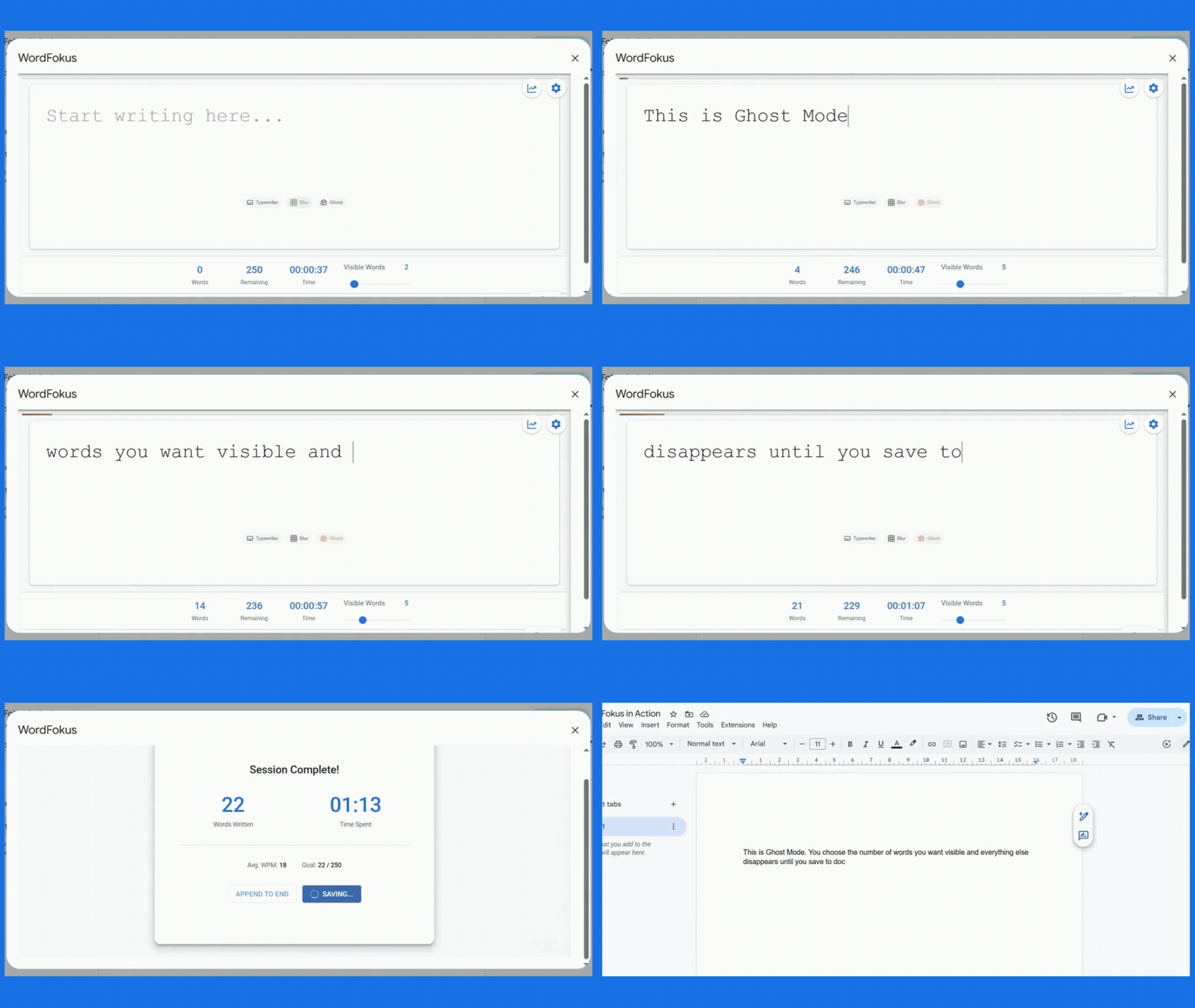
How WordFokus Stops Self-Sabotage and Gets You Finishing
Three modes that silence your inner critic. One analytics dashboard that proves you're making progress. Zero excuses left.
Your Text Fades As You Write
Can't stop rereading and revising? Ghost Mode makes your previous sentences disappear—you literally can't see them to criticize them. Perfect for finishing your dissertation or novel.
See Only What You're Writing Right Now
Typewriter Mode keeps your current sentence centered—everything else fades. You stay present instead of spiraling into anxiety about what you wrote 10 minutes ago.
Track Your Progress & Build Momentum
Writing Analytics show your word count, session time, and writing streaks. See proof you're making progress—even when your inner critic says you're not.
Separate Writing from Editing in 4 Simple Steps
WordFokus creates a temporary boundary between your writing and editing processes.
Install
Add WordFokus from the Google Workspace Marketplace in seconds.
Activate
Launch WordFokus from the Extensions menu in any Google Doc.
Write
Choose your focus mode and experience uninterrupted flow.
Return
Click "Save & Exit" to insert your writing back into Google Docs.